January 31, 2026 Commencement

BRUIN Support

Office Hours:
All hours are Central Time Zone
Monday - Friday: 7:00 a.m. to 6:00 p.m.
Saturday: 8:00 a.m. to 5:00 p.m.
Sunday: Closed

Phone: 1.402.293.2000 or 1.800.756.7920

Email: BRUINSupportServices@bellevue.edu

Ask a Question


You can access the automated system in three different ways: BRUIN Connect; the BRUIN Student Portal; or the Student Financial Aid Portal direct URL.

Logging in to the Student Financial Aid Portal via BRUIN Connect

1 - Open a browser and go to BRUIN Connect (https://bruinconnect.bellevue.edu).
2 - Enter your Student ID # and Bruin Password into the USERNAME and PASSWORD fields.
3 - Click on the SIGN IN button.
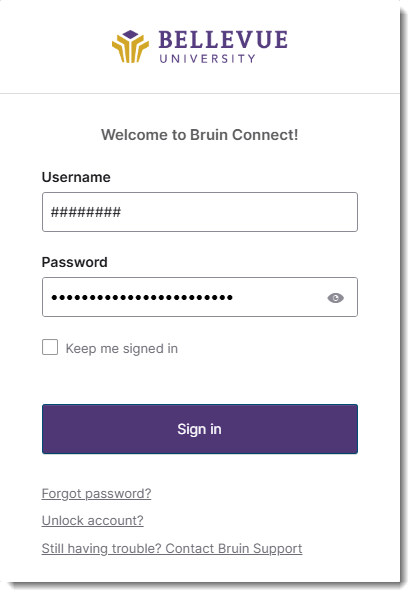
Bruin Connect Login Dialog


4 - Click on the FINANCIAL AID PORTAL - STUDENT chicklet, and the Financial Aid Portal will be displayed.
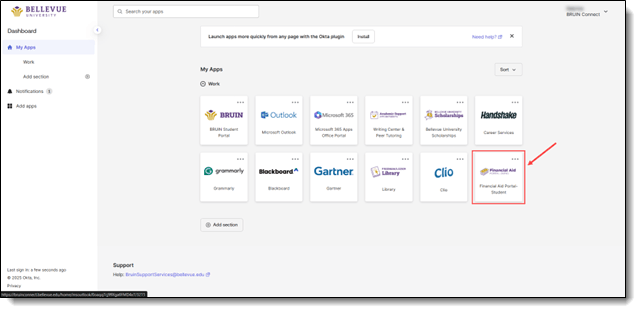
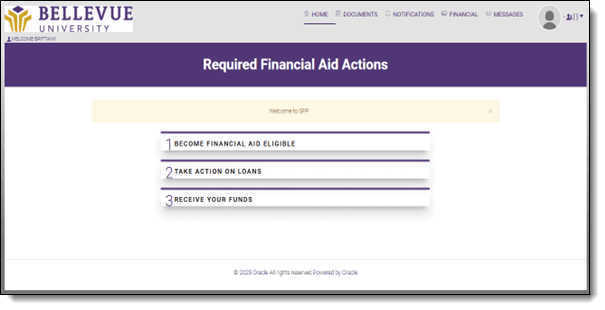
SFP tile in Bruin Connect


SFP Account Home

NOTE: The Dashboard displays a condensed section of the menu items. 


Login Problems
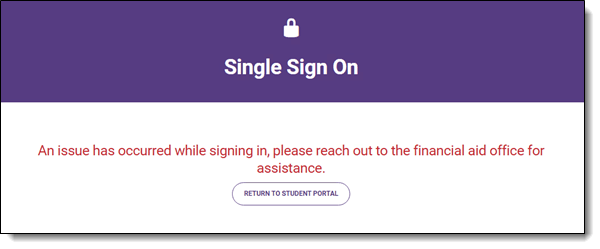
Bruin Connect login failure message

NOTE:  If you are unable to access the portal, please reach out to Bruin Support Services or your Admissions Counselor/Student Coach to troubleshoot.


End of Procedure


To provide feedback on this article, contact Bruin Support Services!


BRUIN Support Services provides assistance on a wide range of topics to students, faculty, and staff. The team is located inside the OneStop Welcome Center and can help with financial-related issues, transcript-related concerns, and technical support. Additionally, students can use the available meeting rooms to meet with their Enrollment Counselors or Student Coaches.

Submit a Technical Support Ticket

Email - BRUINSupportServices@bellevue.edu - Please include the following information:

  • First and Last Name
  • Student ID
  • Phone Number
  • Describe the problem you are having in as much detail as possible, including any links or class information that may be helpful.
  • Operating System (Windows, Mac)
  • Browser (Firefox, Chrome, IE, Edge, Safari, etc.)